How to play Best Friends for Dinner
From the first menu to a comfortable reading session.
This guide uses screenshots captured from the browser version linked on this website on November 7, 2026. It covers the interface and opening dialogue, without revealing the ending.
1. Find your seat
Open the game on the homepage and press the round play button. After the game data finishes loading, choose Start from the game’s left-hand menu.
The game first transitions through a dark opening. Allow it to finish before treating a dark frame as an error. A slow connection may also need extra time to download the game.
The main menu includes Load, Preferences and Help. Returning visitors can look for an existing save through Load; this website cannot restore a save that the game or browser no longer has.
Open the game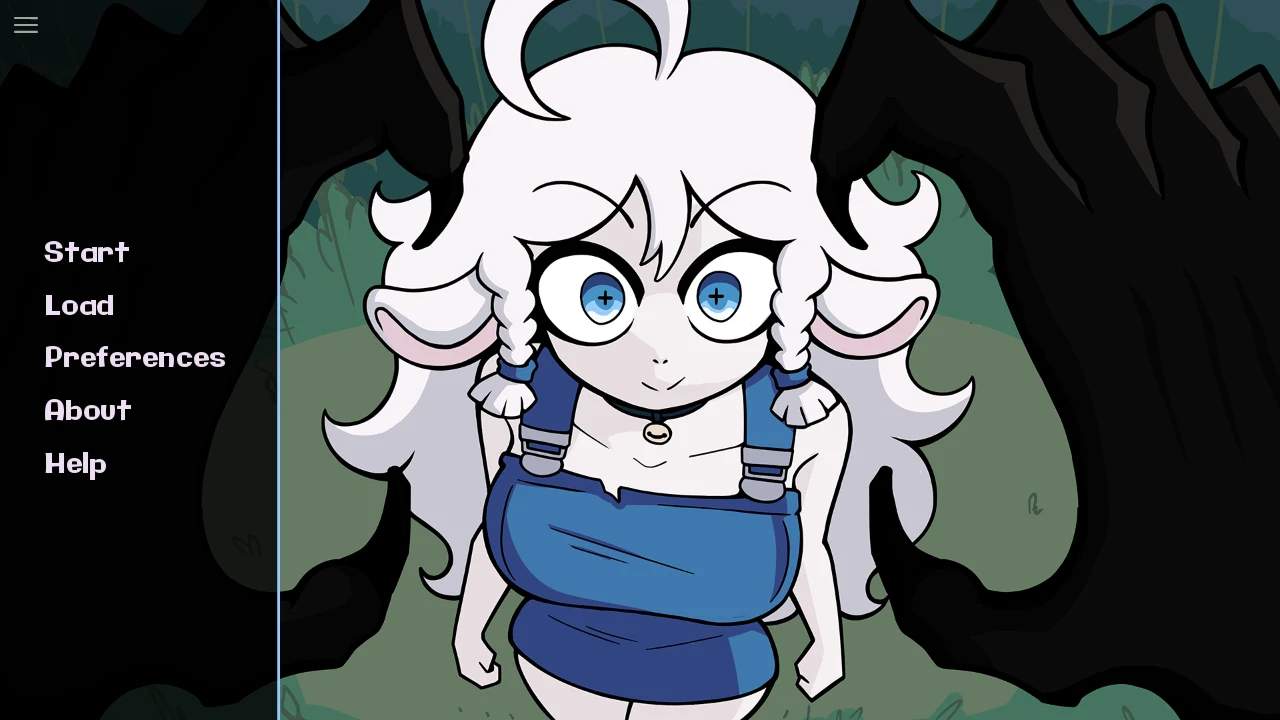
2. Read and move through dialogue
Click inside the game first so keyboard input reaches it. The on-screen Help page lists the following controls. Space was also checked against the opening dialogue in this browser version.
| Input | Use |
|---|---|
| Space / Enter | Move to the next dialogue line. Enter also activates the selected interface item. |
| Arrow keys | Move between interface items. |
| Escape | Open the game menu. |
| Page Up / Page Down | Review earlier dialogue or move forward again. |
| H | Hide the game’s interface to view the artwork. |
| Ctrl / Tab | Skip dialogue while held, or toggle skipping. Avoid these during your first reading if you want to follow every line. |
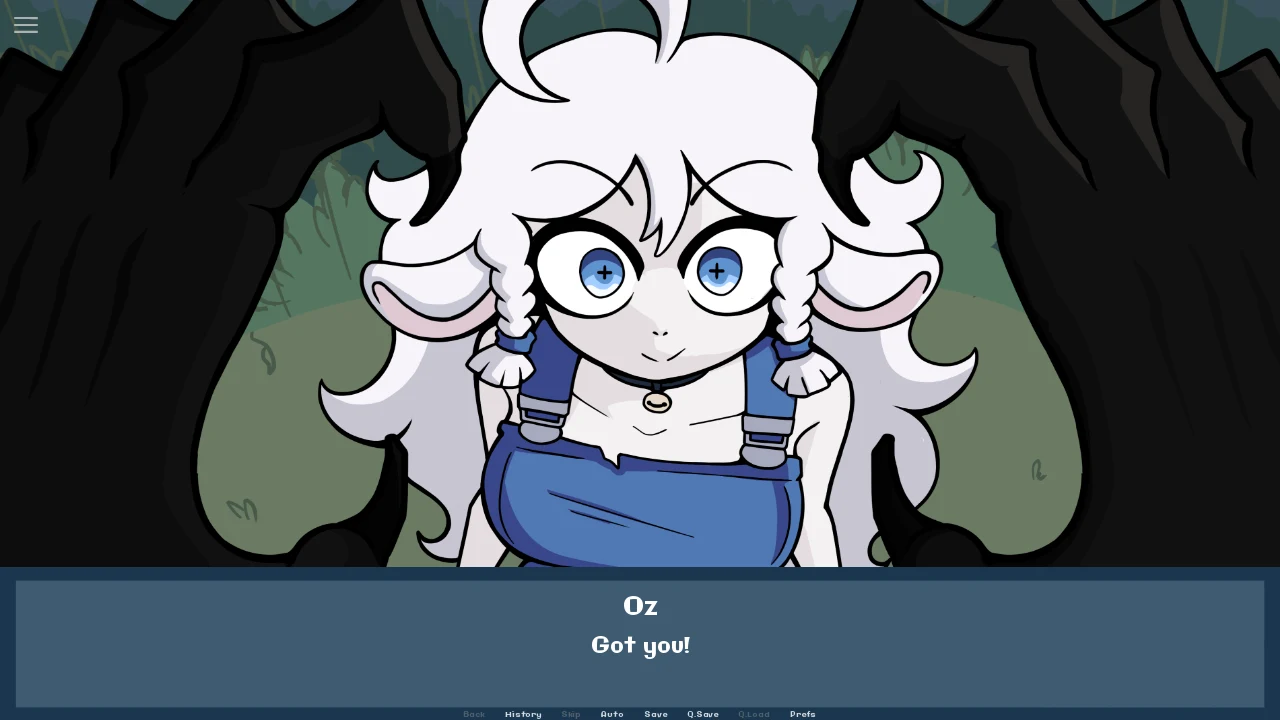
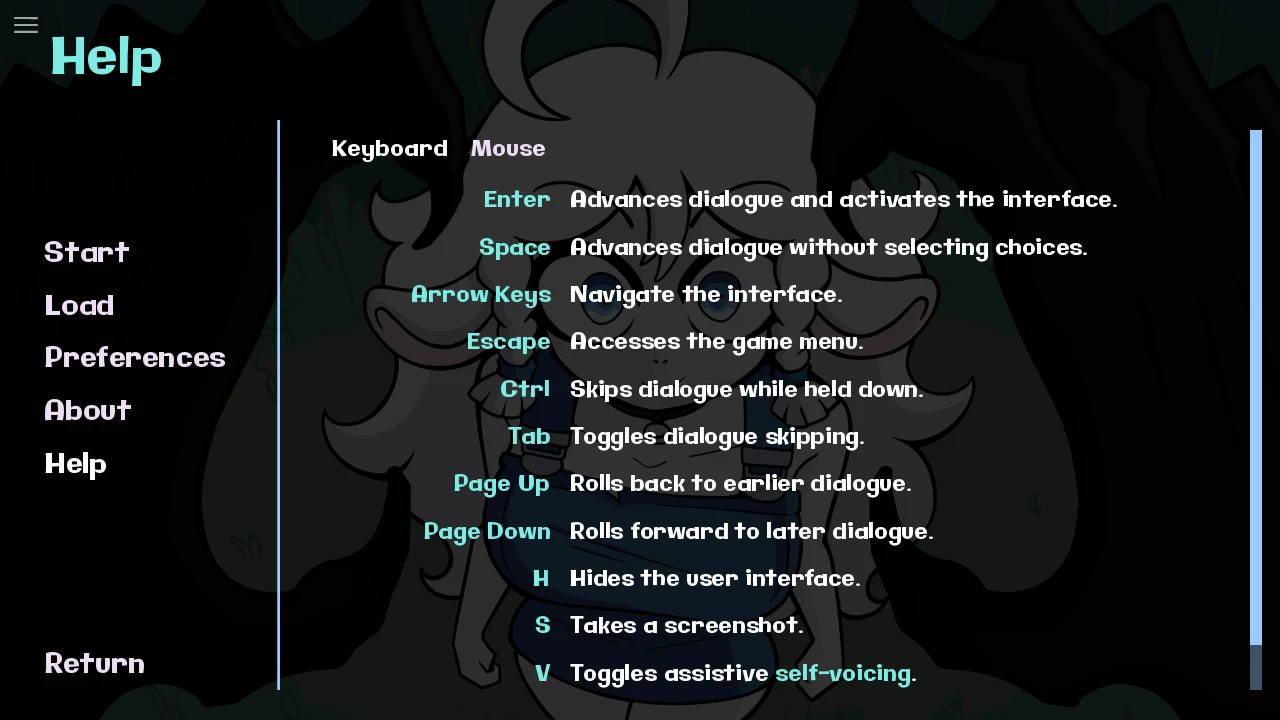
The story is a kinetic visual novel. This guide focuses on reading and navigation; it does not promise hidden routes or alternate endings. Touch controls on physical mobile devices have not been verified.
3. Make reading comfortable
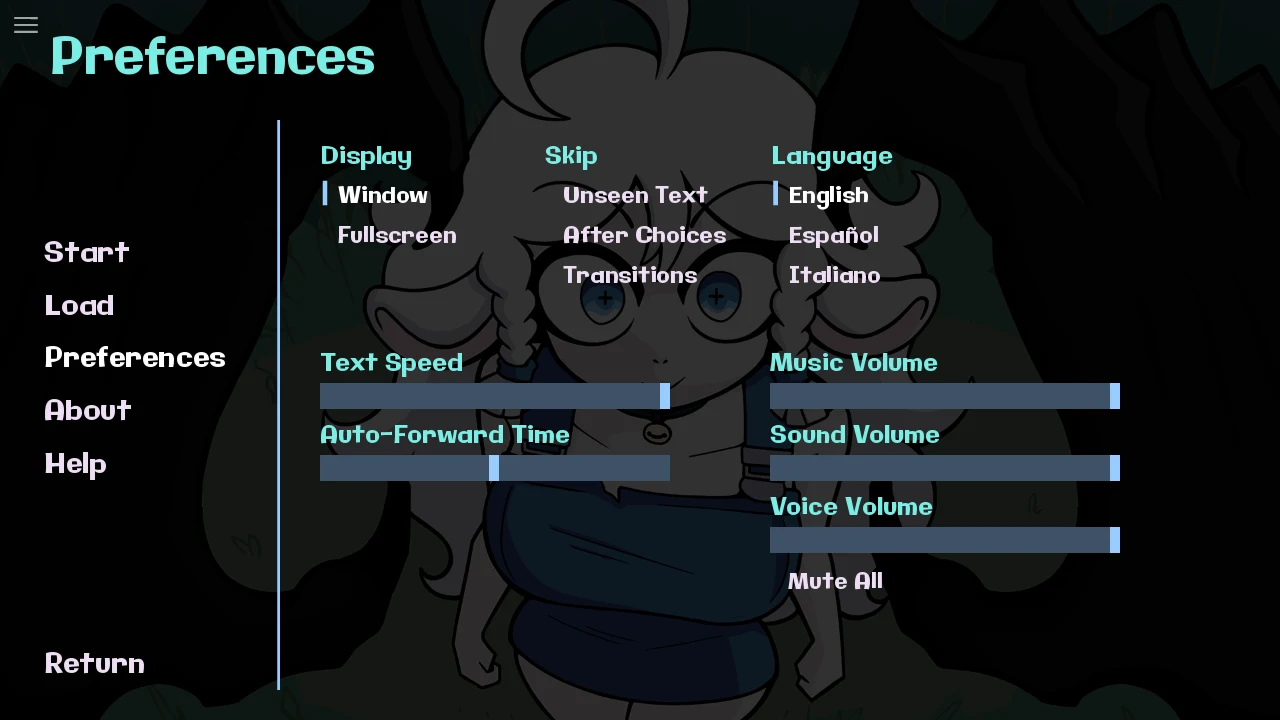
Open Preferences to find Text Speed, Auto-Forward Time and separate audio sliders. The captured version also displays English, Español and Italiano options.
Start with a comfortable text speed and keep automatic progression off until you know your preferred reading pace. If you use Auto, adjust the available timing control when the dialogue moves too quickly.
Use the website’s fullscreen icon for a larger frame, or its new-window icon if your browser does not support fullscreen. These website buttons do not change the game’s settings or save progress.
Need a hand?
Choose the issue you are seeing for a practical next step.
The game stays blank or keeps loading
Wait for the initial download and opening transition. If it remains stuck, use the new-window button to open the game directly. Check your connection and try a current browser. Reloading may discard unsaved progress; try it only after allowing the original request time to finish.
The keys scroll the website instead
Click inside the game, then try Space again. Keyboard input must reach the embedded game rather than the surrounding page. If focus remains troublesome, open the game in a separate tab.
The dialogue is advancing too quickly
Check whether Auto or Skip is active in the game’s quick menu. Turn off the active mode and review Preferences. The game’s Help page explains the keyboard shortcuts, including Tab for toggling skipping.
I cannot find my previous save
Check Load in the same browser and game address you used before. Private browsing, removed site data, a different device or a changed game host can affect access to local data. The website does not provide account-based save synchronization or recovery.
Can I install it and play offline?
Install App adds a convenient website entry point. The external game and YouTube videos still need internet access. For the creator’s desktop release, visit Demonward on itch.io.
Screenshots show the hosted browser version, not a guarantee of behavior on every device. Art and game by Demonward.
Return to the game